
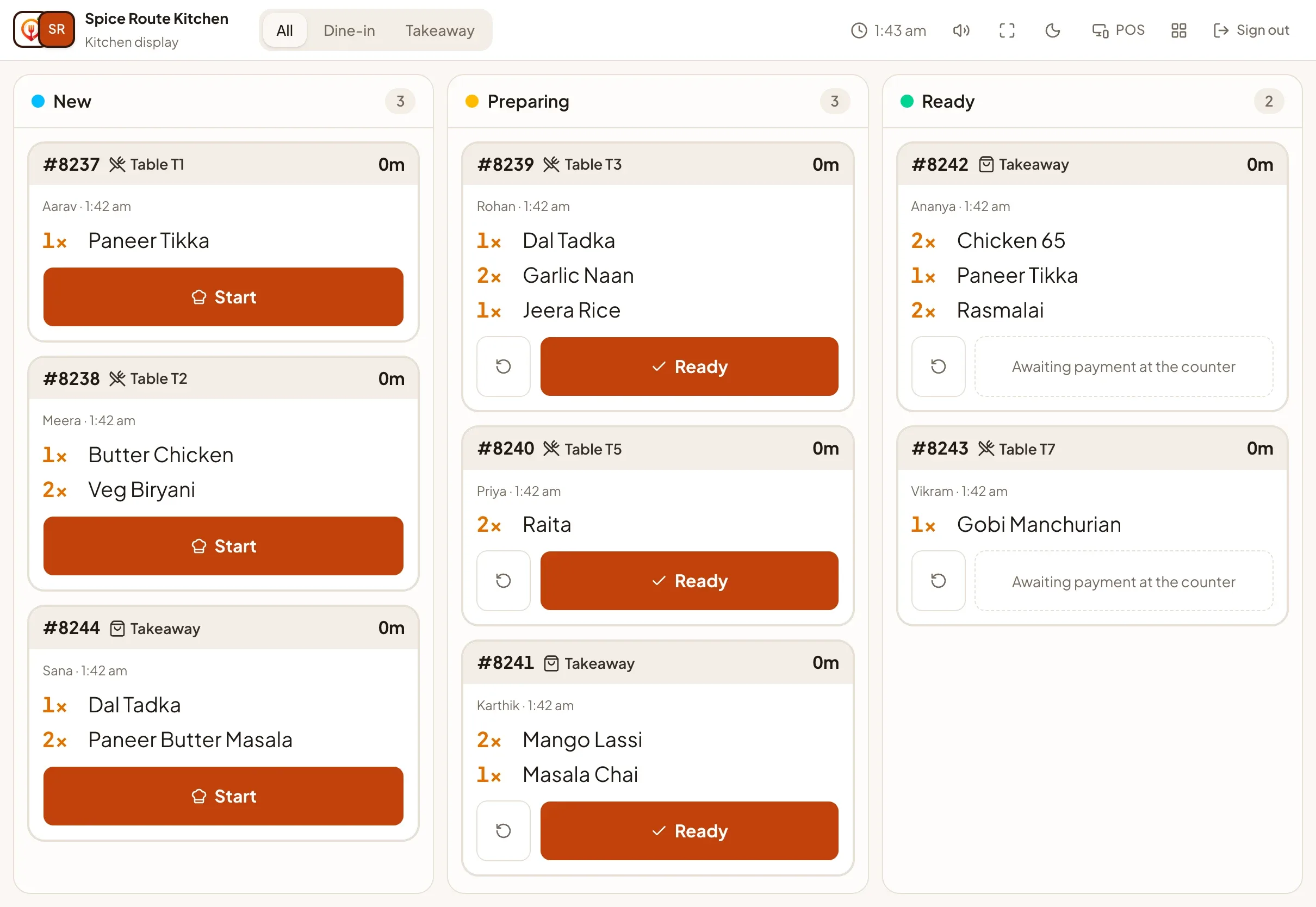

One board for the whole team
New orders appear the moment a guest places them. Drag a card to the next stage, or use the quick action on the card. Everything updates live on every screen, so the counter, the kitchen and the manager always see the same thing.
- Kanban board: New, Preparing, Ready and Completed, with how long each ticket has waited.
- Kitchen display: a dark or light full-screen view built for a wall-mounted tablet, with large type, oldest tickets first and colour for late orders.
- Sound alerts: a chime when a new ticket arrives, with a mute switch.
- Pause ordering: one tap stops new orders; guests with the menu open see it immediately.
- Payment-aware: an order cannot be completed until its payment is verified or collected.
Works on what you already have
Open the kitchen display on any tablet, phone or computer browser and press full screen. Staff can sign in with a venue code, staff code and PIN, so nobody needs to type an email address on a greasy screen.