
Digital ordering for restaurants in India

Smarter ordering. Better decisions. More profitable restaurants.

From QR ordering to kitchen operations and AI demand forecasting, DineMate helps your restaurant know what will sell tomorrow, how much to prepare and when you will be busiest.

14-day free trial. No credit card needed.

Book a demo on WhatsApp

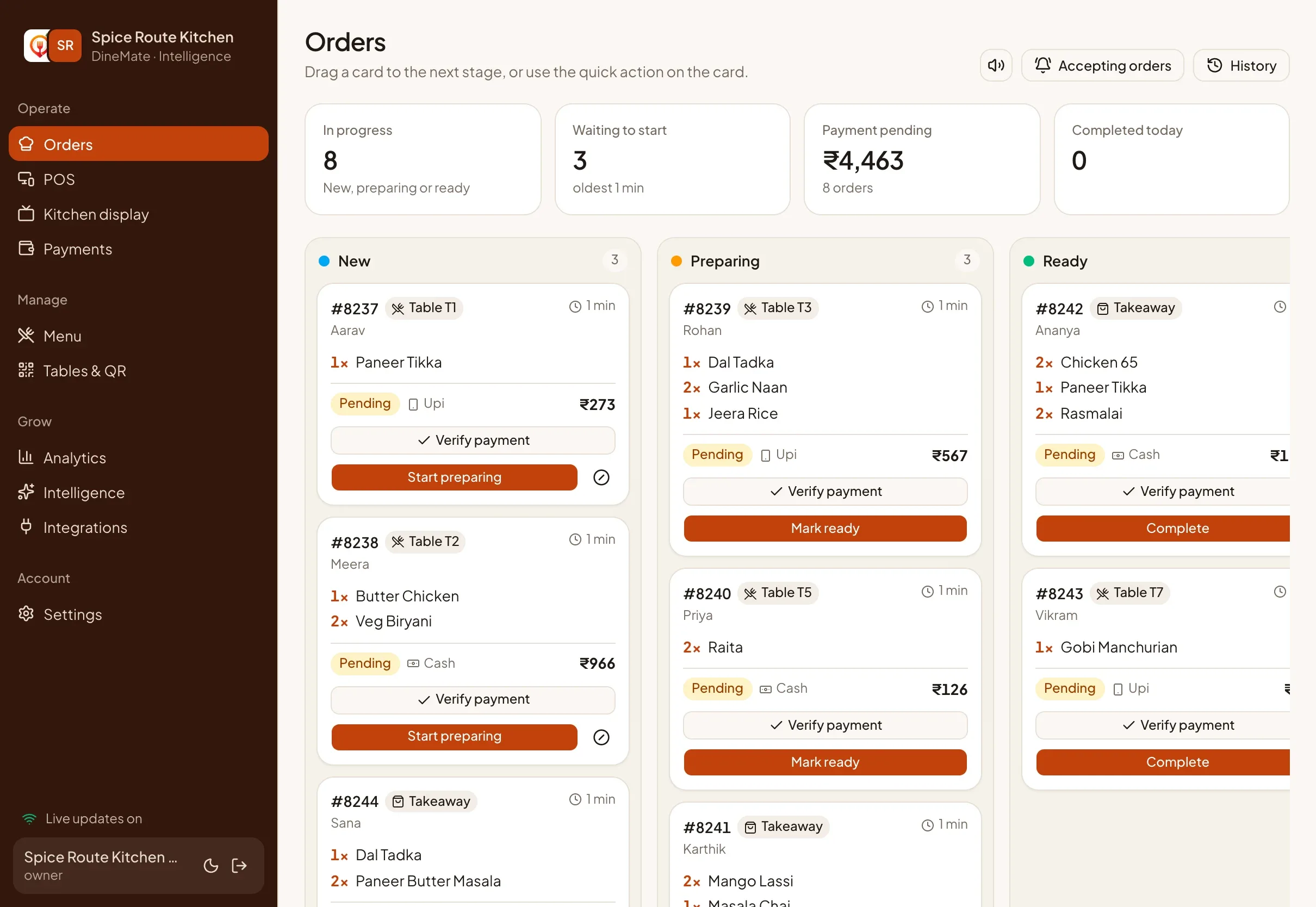
The DineMate orders board on a tablet with New, Preparing and Ready columns

// AI forecasting

Know what to prep before the rush

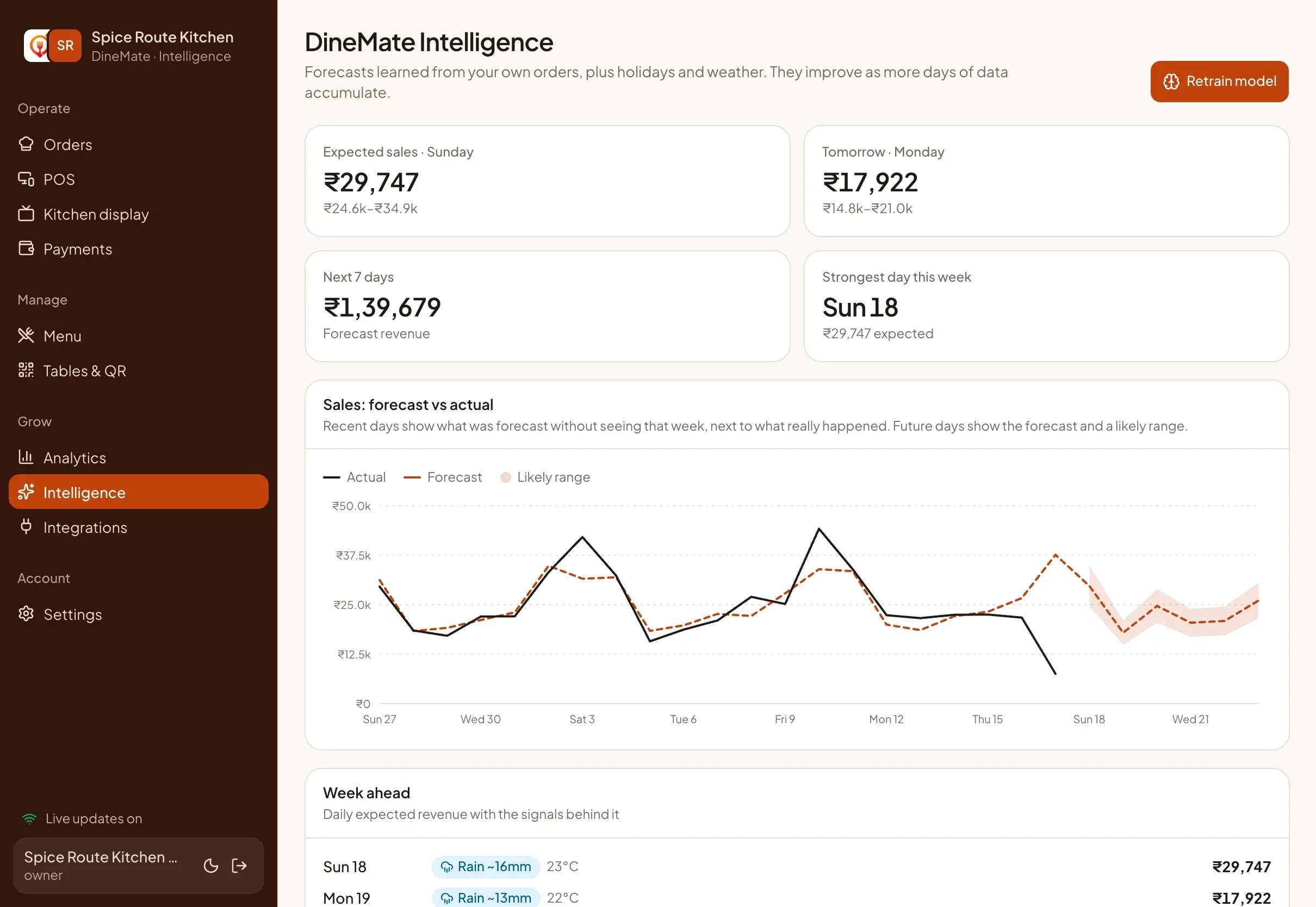
DineMate forecasts the week ahead from your own orders, local weather and the festival calendar, and turns it into plain-language actions.

  • Next 7 days of sales, with a likely range
  • Portions to prep for tomorrow
  • Busy hours to roster for
  • What guests buy together and who comes back
Example forecast Illustrative data
Predicted demand vs a typical day
+18%
Portions to prepare
145
Expected peak
7 to 9 PM

Suggestion: prepare extra biryani portions before the evening rush, based on recent demand patterns.

The Intelligence screen with a 7-day sales forecast

// One platform

One system, three experiences

For restaurant teams

Run the counter, the kitchen and the numbers from one place

Run the whole floor from a browser. Orders, payments, menu and numbers all live in one place, and update everywhere at once.

  • Live kitchen board and full-screen kitchen display
  • Counter POS with cash, UPI and printed receipts
  • Menu, prices and availability you control
  • Staff roles with quick PIN sign-in
DineMate orders board showing orders moving from New to Ready

For guests

Order from the table. No app, no sign-up.

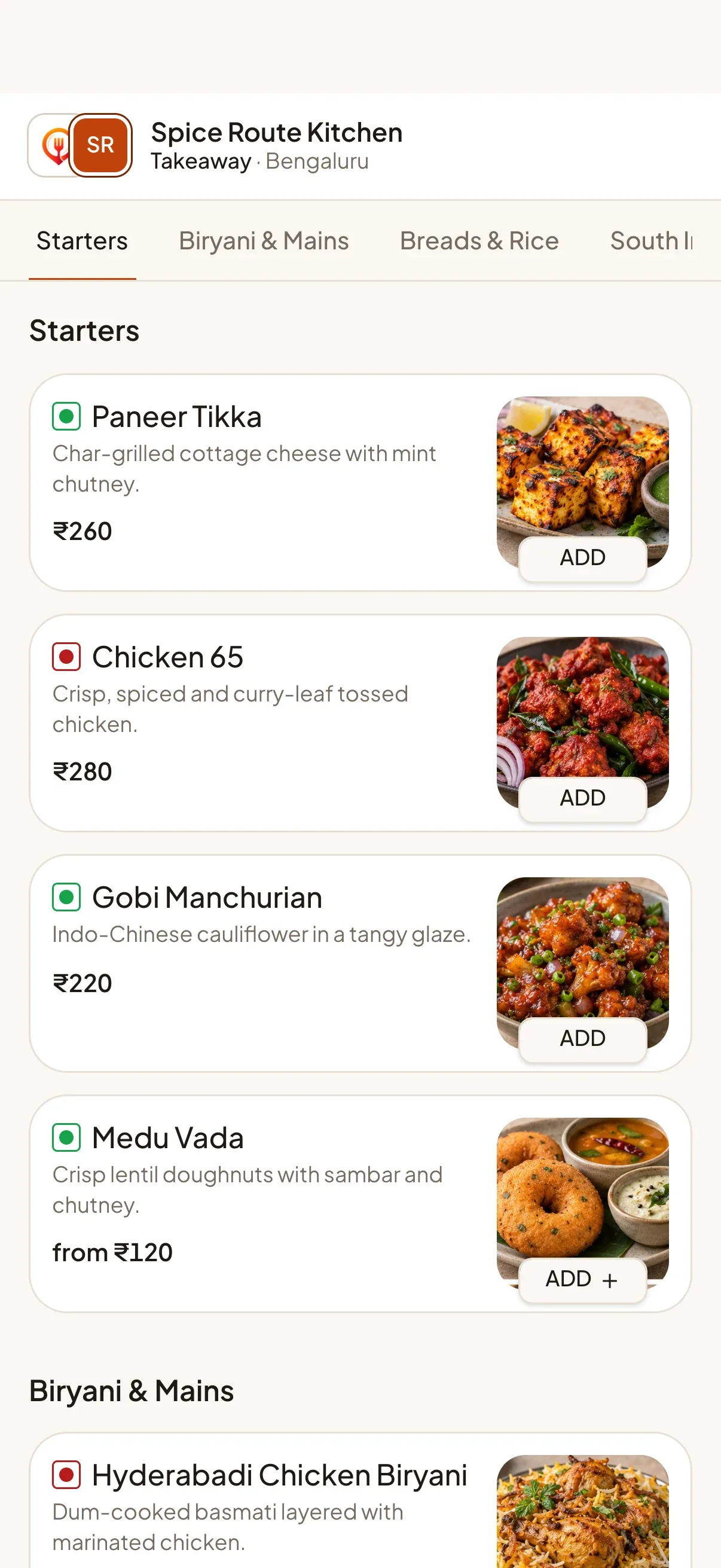
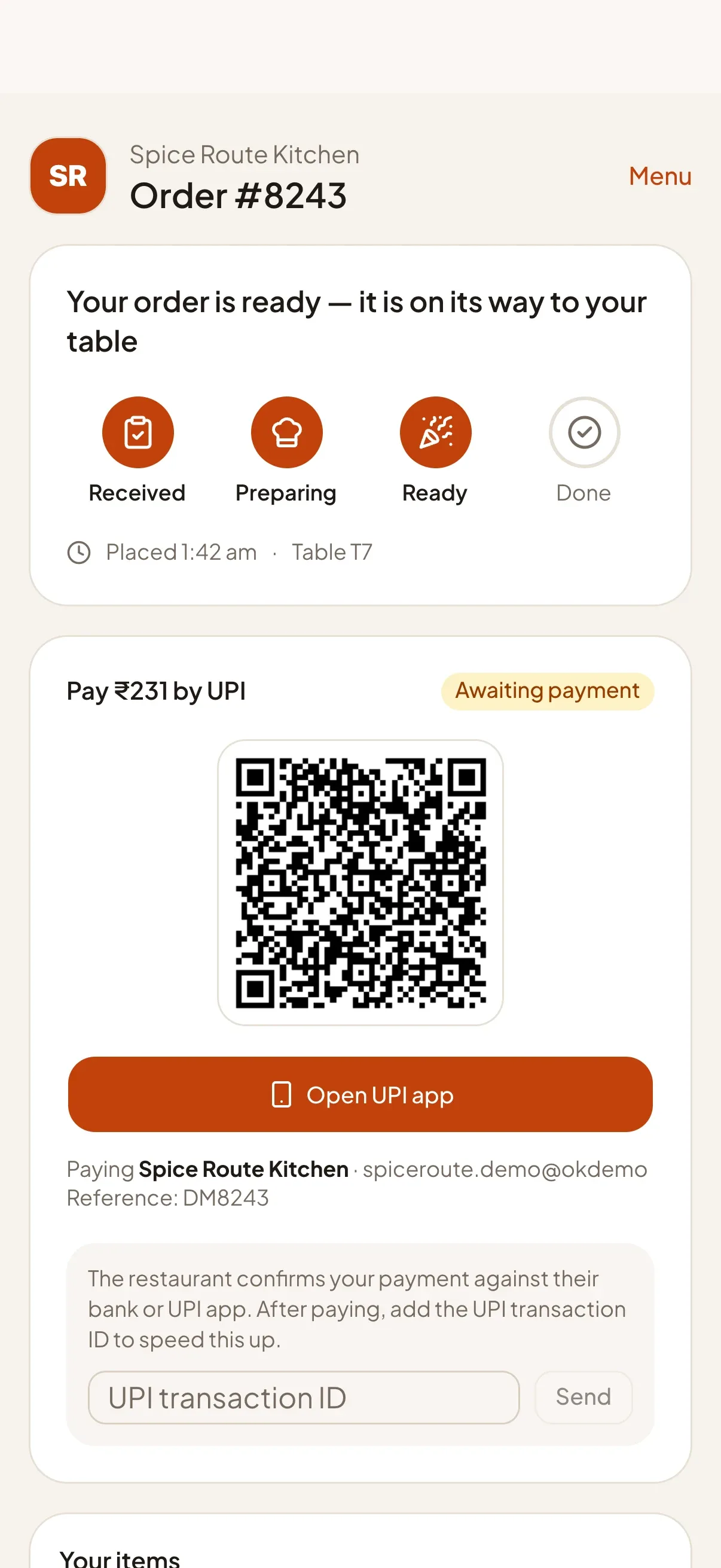
Scan the QR code or tap the NFC tag, order in a few taps and watch the order come together live. The page buzzes when the food is ready.

  • Menu opens instantly in the browser
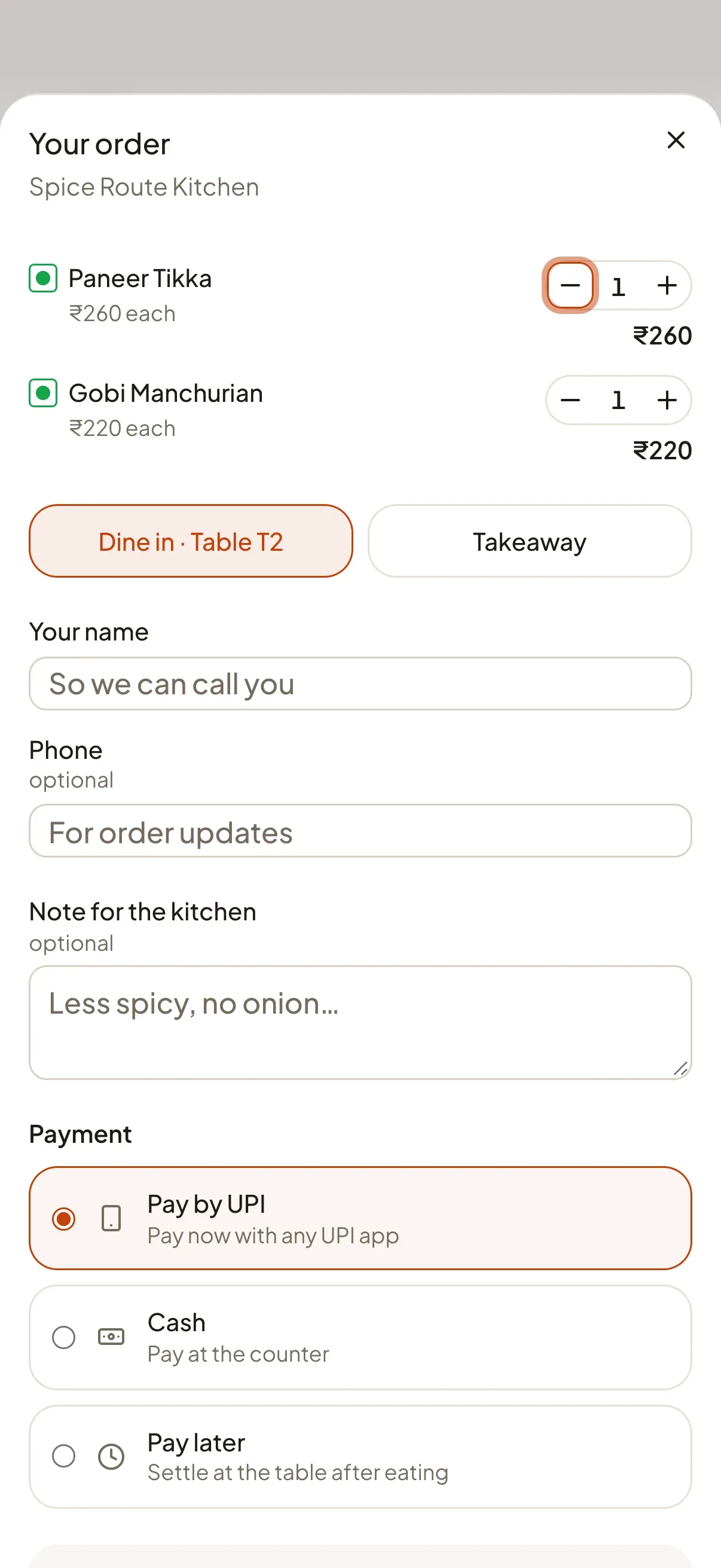
  • Pay by UPI, cash or pay later
  • Live order tracking with a ready alert
  • Your recent orders, without an account
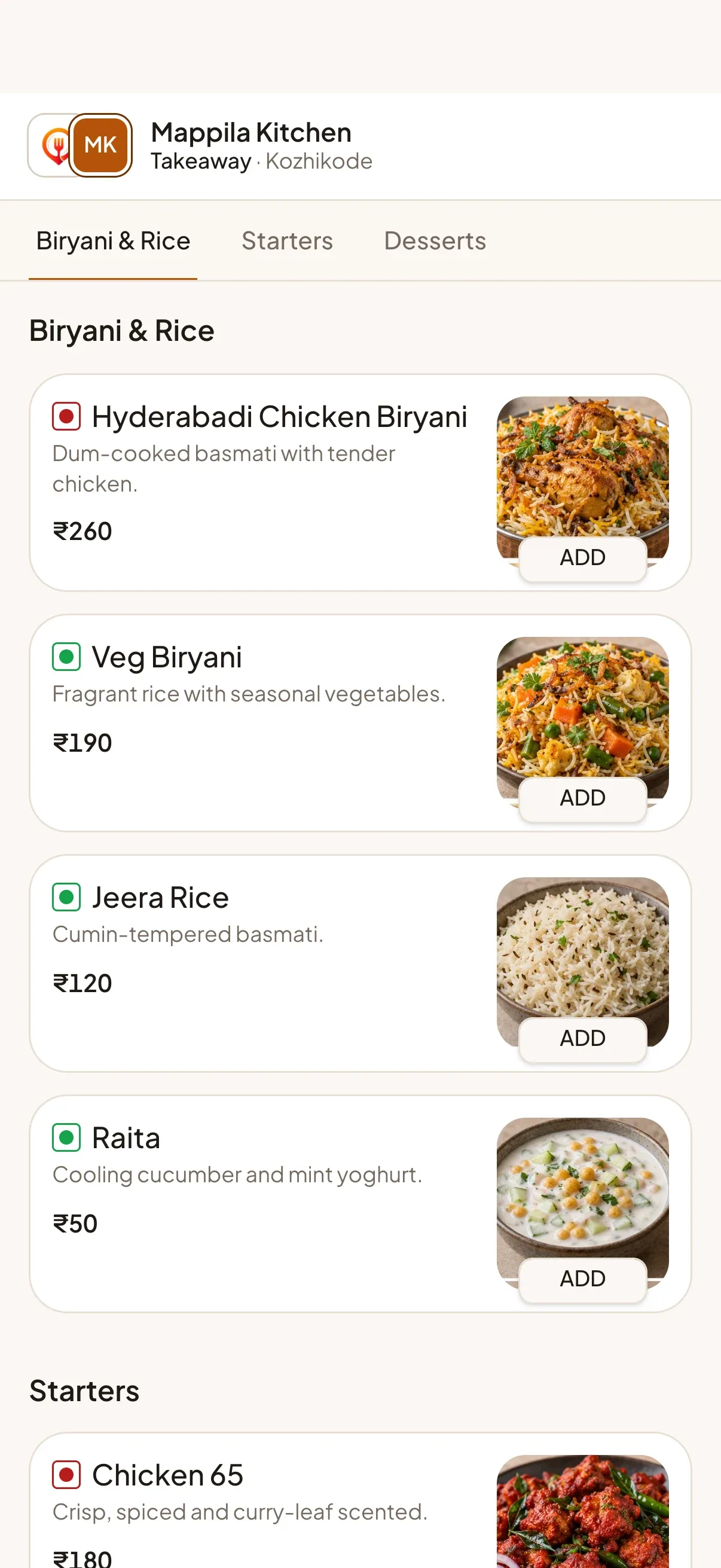
The guest menu on a phone

For malls and food courts

One QR for the whole food court

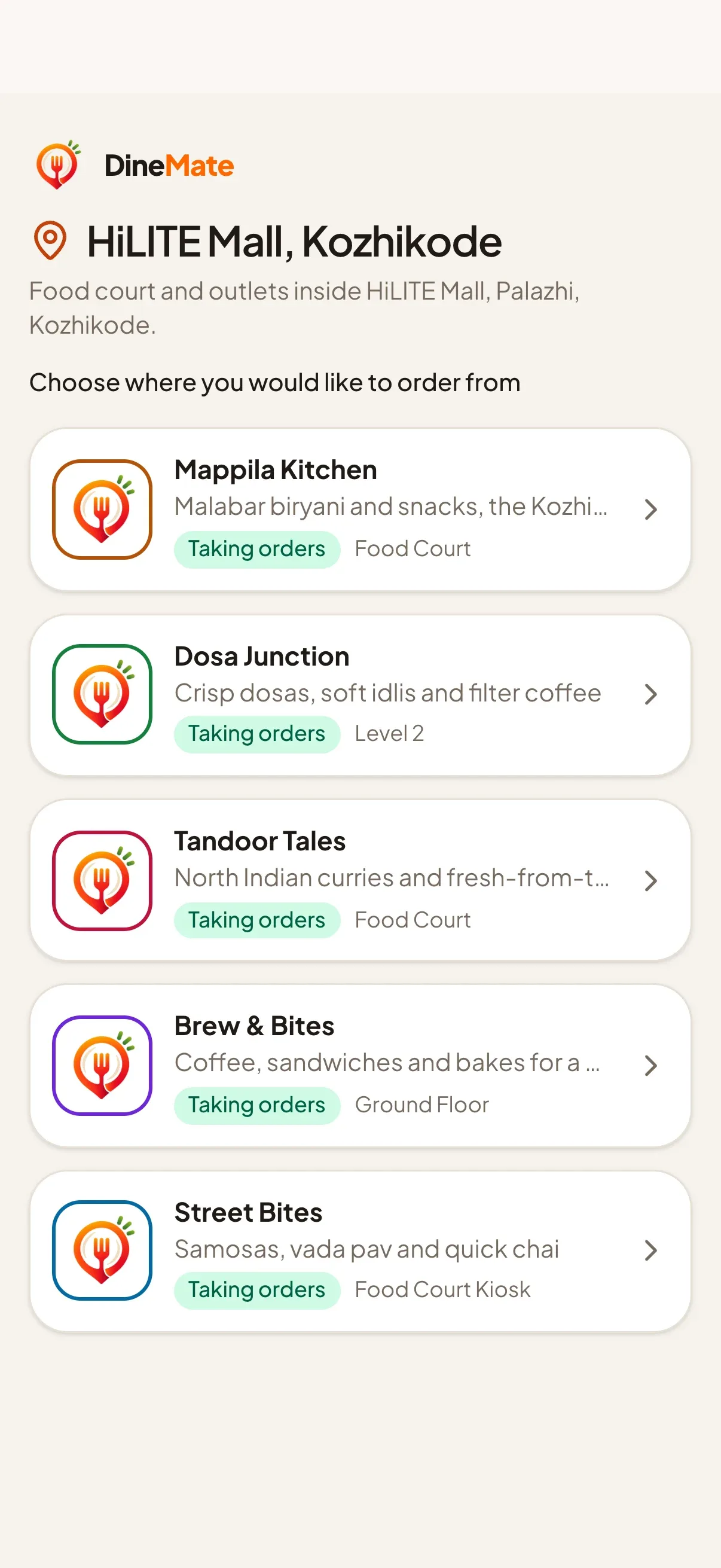
A single code opens a page listing every restaurant in the zone. Guests choose first, then order from that restaurant's own menu.

  • Zones drawn on a map and set up by our team
  • Open restaurants listed first
  • Scans, orders and sales tracked per zone
  • Each restaurant keeps its own kitchen and payments
A zone page listing restaurants inside a mall

// How it works

Live in three steps

  1. 01

    Create your account

    Sign up for the 14-day free trial, add your restaurant details and choose a plan. No credit card, no hardware.

  2. 02

    Add your menu and print QR codes

    Build your menu with photos, sizes and add-ons, add your tables and print the QR cards or write the NFC links.

  3. 03

    Go live

    Guests start ordering, the kitchen board lights up, and your analytics fill in from the first order.

// Features

Everything a restaurant runs on, in one place

From the first scan to the end-of-day numbers. Each feature has its own page with the details.

// Branding

Your brand, on every screen

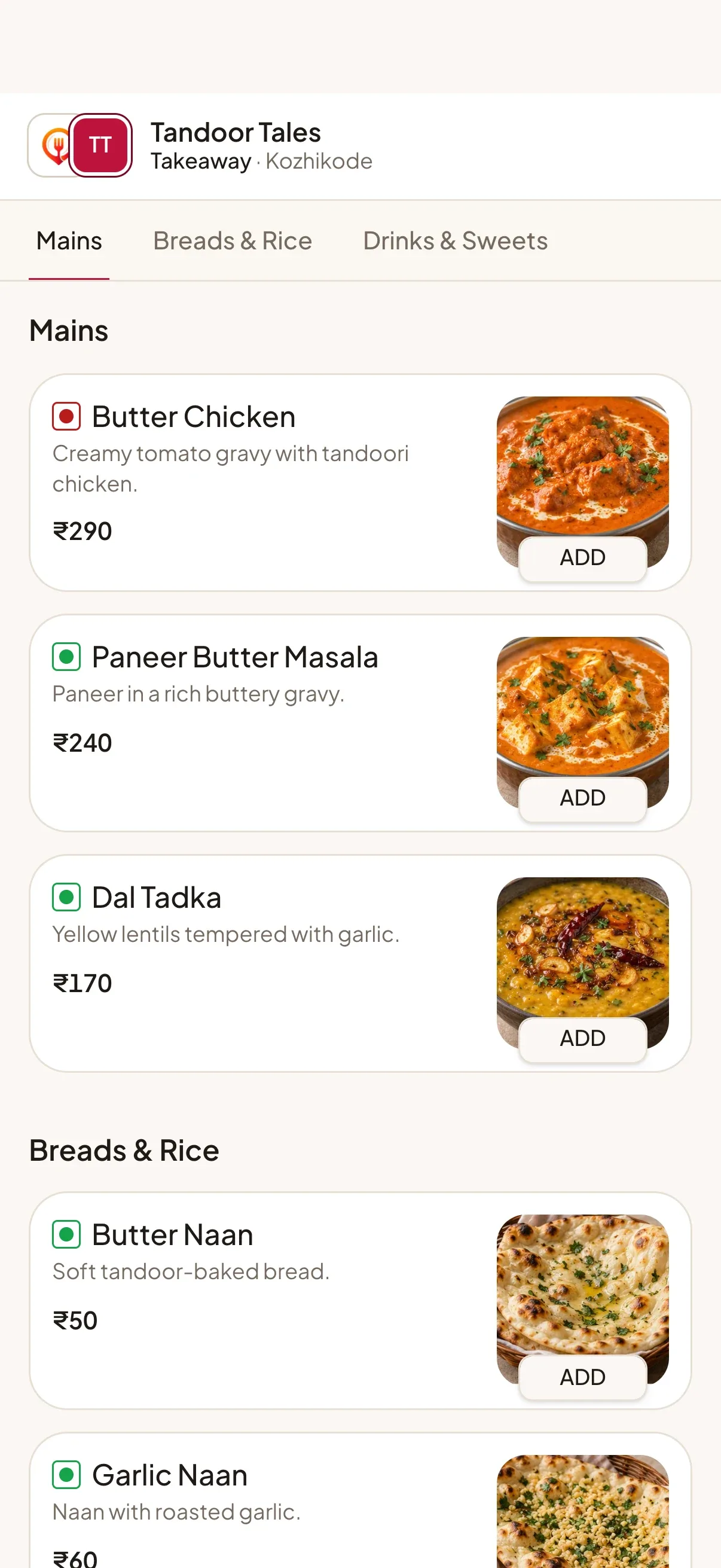
Every restaurant gets its own colour, logo and cover photo. Guests see your restaurant, not ours.

  • Mappila Kitchen menu in amber
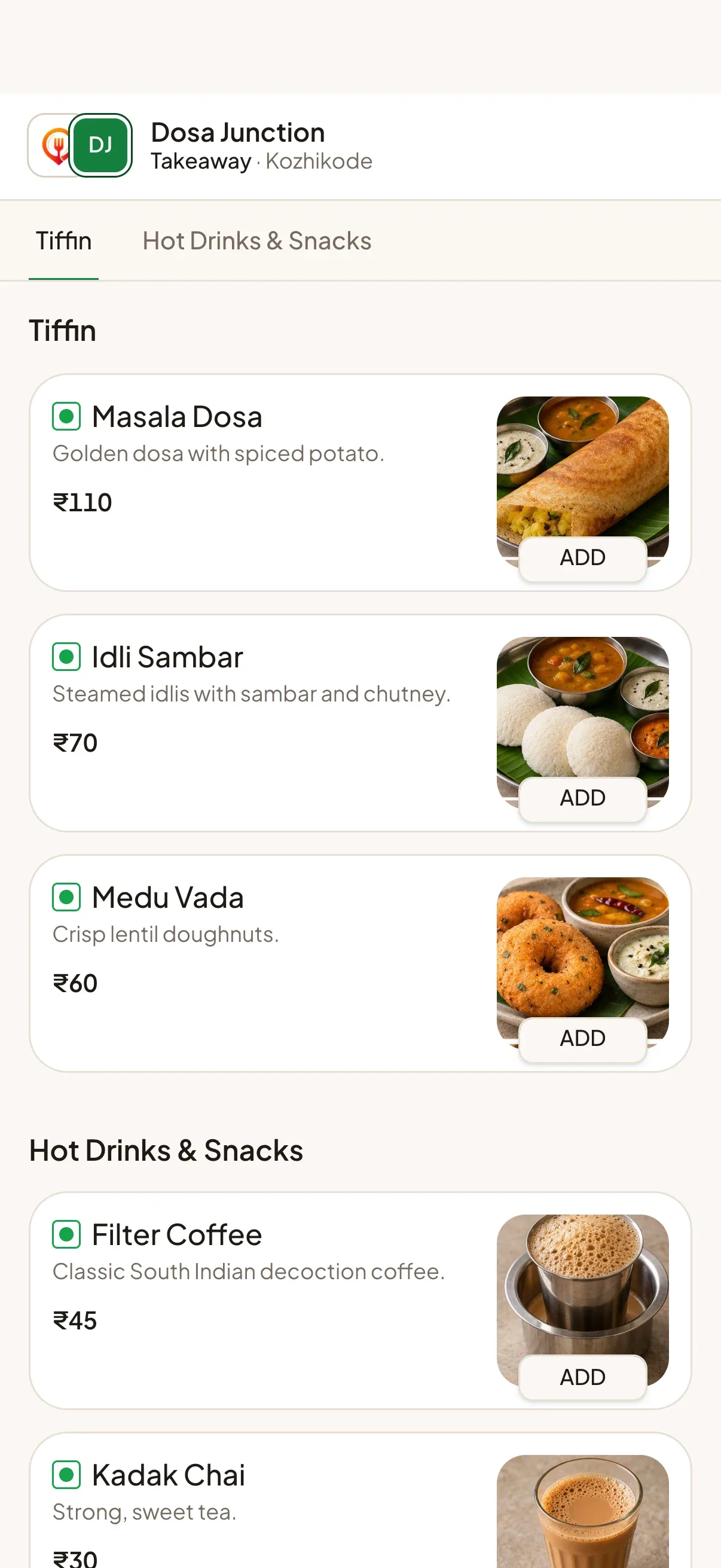
  • Dosa Junction menu in green
  • Tandoor Tales menu in crimson
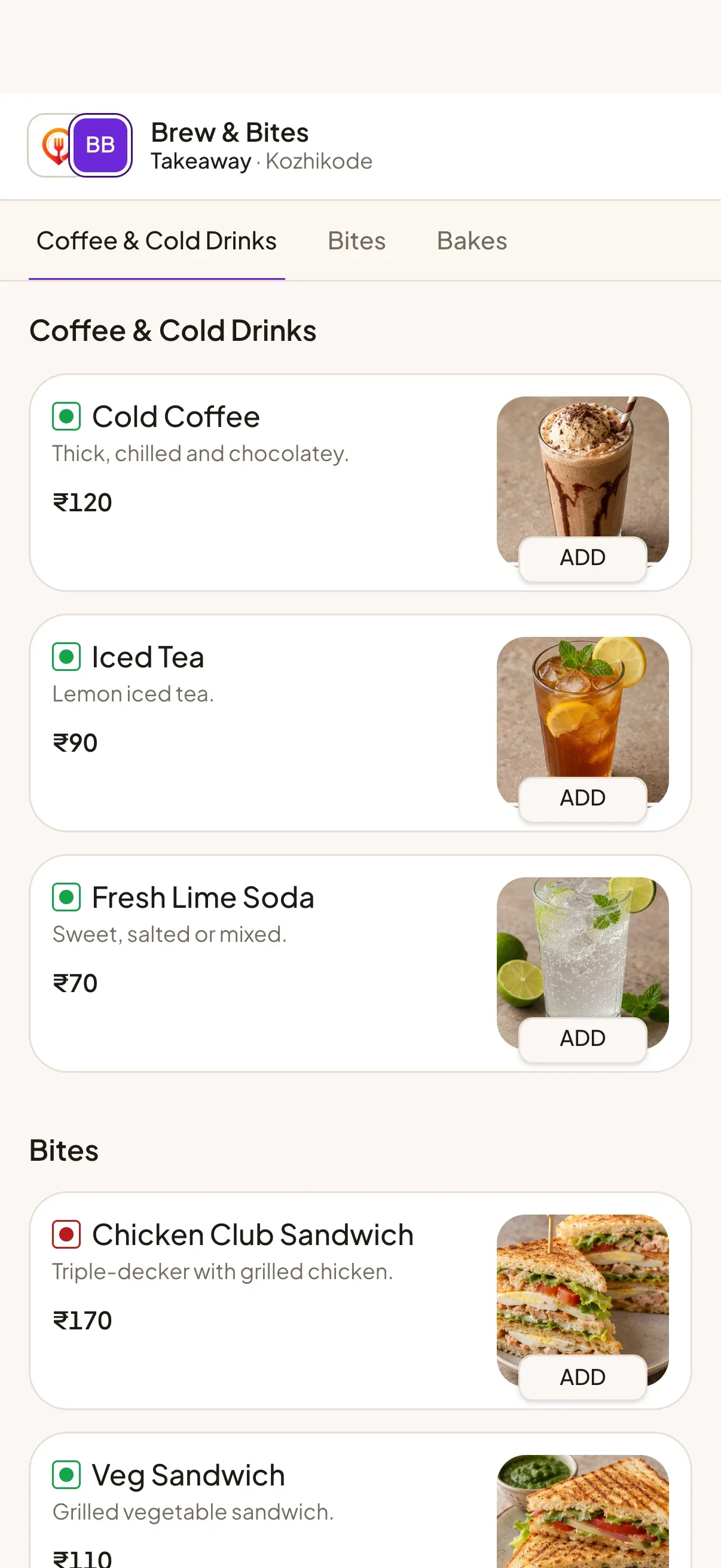
  • Brew & Bites menu in violet
  • Spice Route Kitchen menu in orange

// Food courts & malls

Many restaurants, one tap

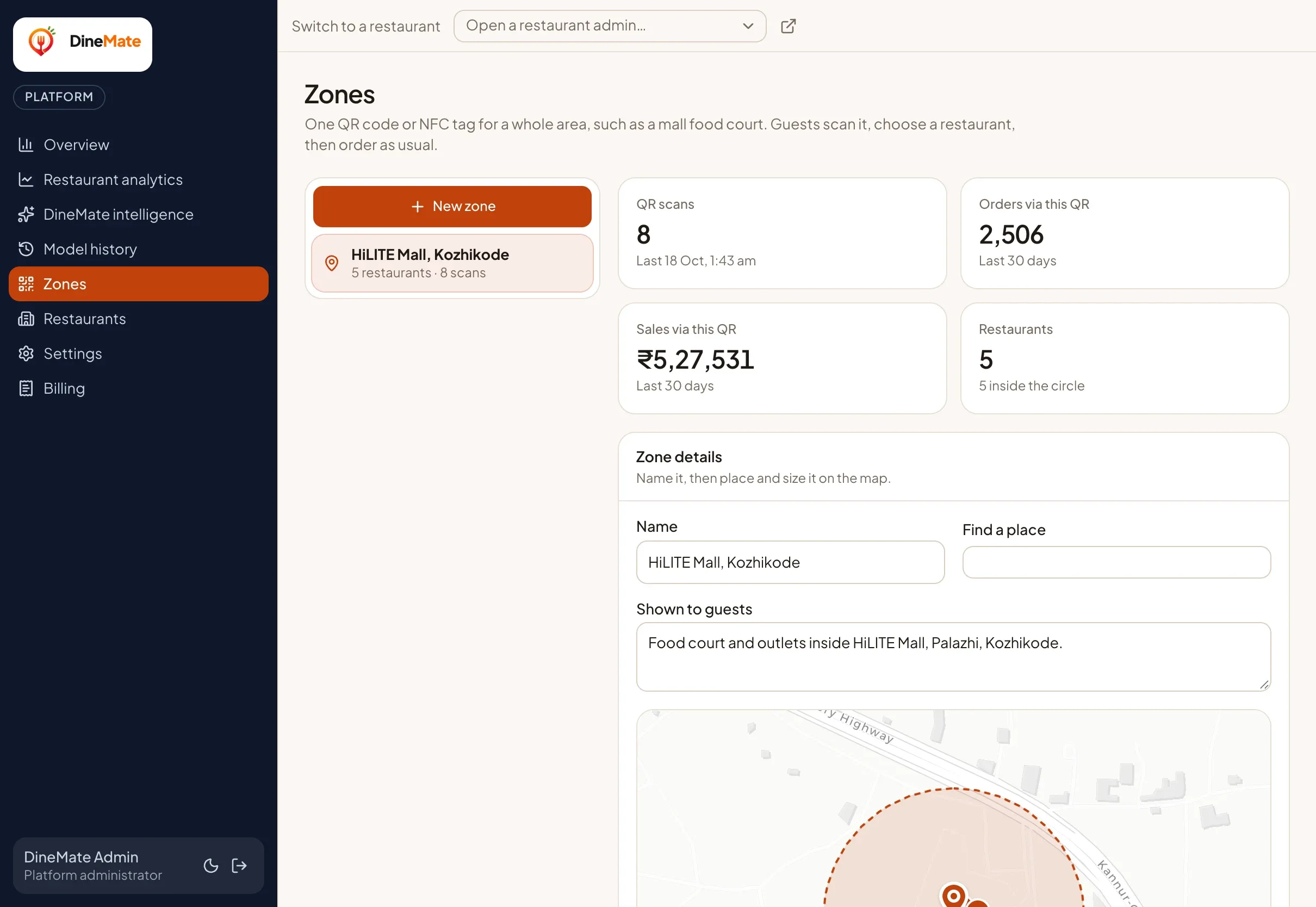
Put one QR or NFC tag at the mall entrance and every outlet gets discovered. Guests pick where to order and you see exactly what the code brings in.

  • Draw the zone on a map
  • Add the restaurants inside it
  • Print one QR, write one NFC tag
  • Track scans, orders and sales
A zone drawn on a map with the restaurants inside it

// Analytics

See what sells, and when

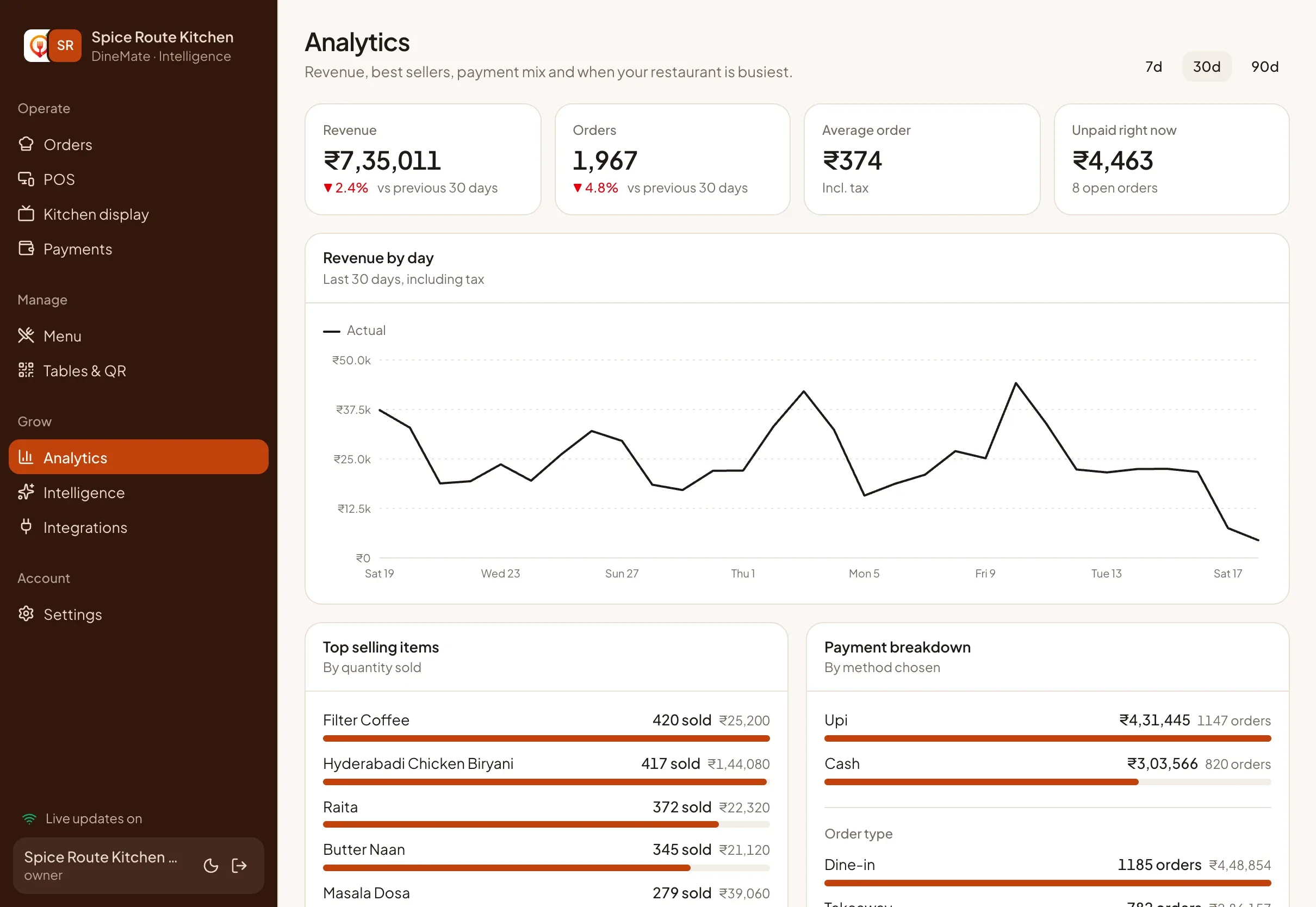
Revenue, best sellers, payment mix and busy hours update with every order, so you decide with facts.

  • Revenue and orders against the previous period
  • Best sellers and payment mix
  • A weekday-by-hour busy-hours heatmap
  • Unpaid orders at a glance
The Analytics screen with revenue, best sellers and busy hours

// Plans & pricing

Simple plans that grow with you

Start free for 14 days. Prices are per restaurant per month and exclude 18% GST. Change plan any time.

  • Starter

    Digital menu, QR/NFC ordering, payments, order management and standard sales analytics.

    ₹999 / month + GST

    • Digital menu with QR & NFC ordering
    • UPI, cash and card payment tracking
    • Live kitchen board and counter POS
    • Staff roles with PIN sign-in
    • Standard analytics (7 days)
    Start free trial
  • Most popular

    Growth

    Starter plus advanced analytics (90-day history, heatmaps) and POS integration.

    ₹2,499 / month + GST

    • Everything in Starter
    • Analytics with 30 and 90-day history
    • Busy-hours heatmap
    • POS data import: menu and orders flow in (one way)
    Start free trial
  • Intelligence

    Growth plus AI forecasting, purchasing insights and predictive recommendations.

    ₹4,999 / month + GST

    • Everything in Growth
    • AI forecasting for sales and items
    • Prep quantities and busy-hour forecasts
    • Purchasing and customer insights
    Start free trial

Does the Intelligence plan pay for itself?

Intelligence costs more because it does more: forecasts, prep quantities and busy-hour predictions. Here is the break-even arithmetic from our published prices. Your own food cost and wastage decide the real answer, and we do not promise a figure.

Intelligence vs Growth
₹2,500 more a month
about ₹83 a day to cover
Intelligence vs Starter
₹4,000 more a month
about ₹133 a day to cover

If better prep and rostering save you more than that in wasted food or idle staff time, the upgrade covers itself. Prices exclude GST.

Be one of our first pilot restaurants

We are looking for a small number of restaurants to run DineMate Intelligence for a few months. With your permission we will share your real results here, good or not.

Ask about the pilot

// FAQ

Frequently asked questions

The answers restaurants ask for most. Still unsure? Write to us below.

01What is DineMate?

DineMate is a restaurant ordering and operations platform for India. Guests scan a QR code or tap an NFC tag to order and pay by UPI from their phone, the kitchen runs from a live board, and the Intelligence plan forecasts demand from your own orders, local weather and the festival calendar.

02How long does it take to get started?

You can create an account, add your menu and print table QR codes in one sitting. There is no hardware to buy and nothing to install: guests use their own phones, and your team uses any browser.

03Do guests need to download an app?

No. Guests scan a QR code or tap an NFC tag and the menu opens in their browser. They do not create an account.

04How do payments work?

Guests can pay by UPI, pay cash at the counter or choose pay later for dine-in, and counter staff can also record card payments. UPI payments go straight to the UPI ID you set, and DineMate does not hold your money. A UPI QR cannot prove payment by itself, so you confirm it against your bank or UPI app, or a payment provider confirms it, and DineMate records which.

05Can I update my menu at any time?

Yes. Change prices, photos, sizes, add-ons and availability whenever you like. Open guest menus and the POS pick up the change immediately.

06Do I need special hardware?

No. DineMate runs in a normal browser on a phone, tablet or computer. For printed receipts, use any printer your browser can print to, including 80 mm thermal printers.

07Does DineMate work with my existing POS?

DineMate imports data from your POS; it is not a two-way integration. On the Growth plan and above you can bring your menu and orders into DineMate by file import (CSV or JSON) or by webhook, so analytics and forecasts include them. That works with any POS that can export a file or send a webhook; there are no named, certified POS partner integrations yet. Nothing is written back to your POS, and imported orders never appear on the DineMate kitchen board. If you need two-way sync, such as pushing DineMate orders into your POS, tell us at the contact details below so we can plan it with you.

08What does the AI forecasting do, and how much data does it need?

It forecasts the next 7 days of sales, suggests prep quantities for tomorrow and highlights your busy hours, using your own orders plus weather and festivals. It needs at least 28 days of order history and retrains daily. It is included in the Intelligence plan.

09Can I change or cancel my plan later?

Yes. You can change plan from Settings, and your account moves to the new plan with prorated invoicing. Plans are billed monthly and prices exclude 18% GST.

10Is there a free trial?

Yes. Every new restaurant gets a 14-day free trial, and no credit card is needed to start.

11How is my restaurant's data protected?

Every record belongs to one restaurant and is never visible to another. Staff access is role-based, terminal PINs lock after repeated failures, and guests are never tracked: DineMate does not fingerprint devices, and a guest’s location, if they share it, stays in their browser.

12Which kinds of businesses is DineMate for?

Restaurants, cafés and tea shops, bakeries and snack bars, quick-service outlets, food courts and malls, and hotels and guesthouses. In a hotel each room works like a table with its own QR code. DineMate is not a hotel management system, so it does not post charges to a room bill.

13How is DineMate different from a POS?

A POS records sales at the counter. DineMate also lets guests order from their own phone, runs a live kitchen board, tracks payments and forecasts demand, and includes its own counter POS. If you keep your existing POS, you can import its menu and orders into DineMate on the Growth plan and above.

// Contact

Let’s talk about your restaurant

Questions about plans, a food-court zone or moving over from your POS? Tell us a little and we will get back to you.

Email opens your mail app; WhatsApp opens a chat with our team.

Start your 14‑day free trial

Set up your restaurant, print your table QR codes and take your first order today. Change or cancel your plan any time.

Start free trial

No credit card needed.

Checkout on a phone
Order ready on a phone